Install on PrestaShop
Install the official ZIP through Module Manager on PrestaShop 1.7 through 9.x with PHP 7.2 or later, then add the public key.
ZIPv1.0.0
Flatzer Chat · PrestaShop
Module for PrestaShop 1.7–9.x and PHP 7.2+.Watch the video guideDuration: 0:16
Download, install, and verify a plugin
A short walkthrough recorded on the real interface, so you can complete every step without changing tabs.See it before you do it
Flatzer screenshots and visual platform references show you exactly where to act.
Upload the module manually
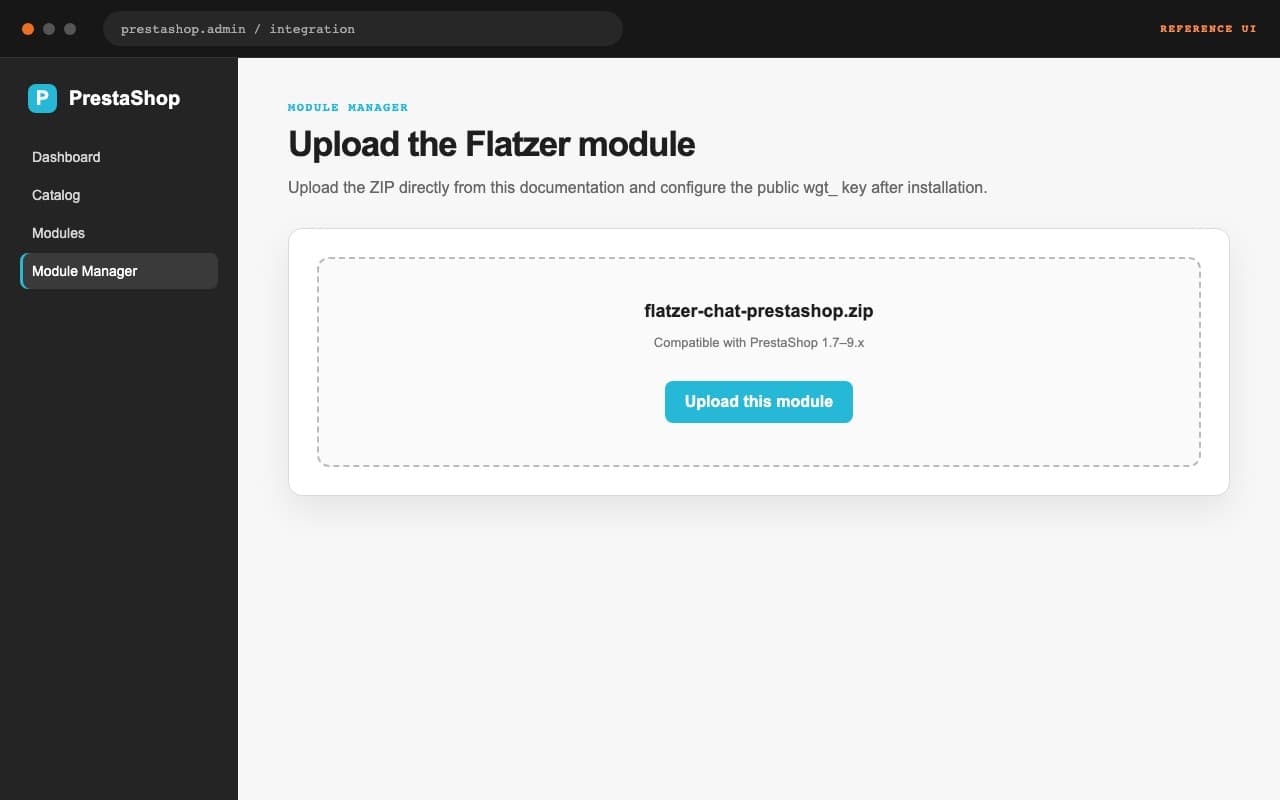
Download flatzer-chat-prestashop.zip. On PrestaShop 1.7–9.x with PHP 7.2+, open Module Manager, choose Upload a module, and upload the ZIP without extracting it. Flatzer distributes this package as a direct download.
Connect and check
Open the module settings, paste the wgt_ key, and save. Clear the cache if your theme keeps one, visit the shop from an allowed domain, and confirm Installed in Flatzer.