Manual Shopify installation
Add the snippet through a Custom Liquid section or theme.liquid; the widget appears in the storefront, not during checkout.
Watch the video guideDuration: 0:16
Download, install, and verify a plugin
A short walkthrough recorded on the real interface, so you can complete every step without changing tabs.See it before you do it
Flatzer screenshots and visual platform references show you exactly where to act.
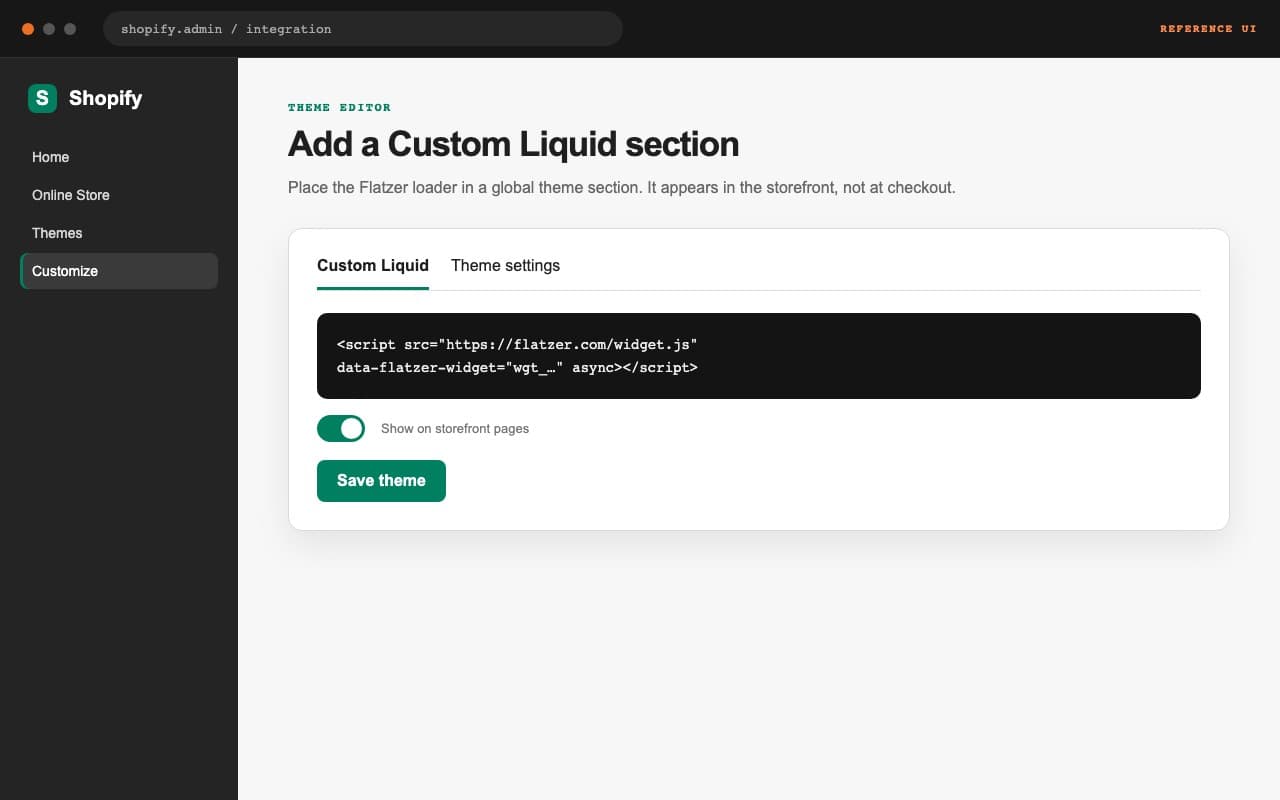
<script src="https://flatzer.com/widget.js" data-flatzer-widget="wgt_0123456789abcdef0123456789abcdef" async></script>Recommended: Custom Liquid
Add a Custom Liquid section in the theme editor, paste the snippet, and save it on the storefront pages where it should appear. This integration is installed manually rather than through an application catalog.
Alternative: theme.liquid
Edit the theme code and paste the script immediately before </body> in theme.liquid. Duplicate the theme before changing it. Shopify does not allow this widget in checkout, so verify the storefront and product pages.